
Your next practice, step by step.
One team or several—the same four steps get you ready to coach.
01 · CHECK YOUR TEAM
Start with your team.
- Sign in. If this is your first visit, enter your team’s name, sport, age group, and practice preferences.
- Check the Working with bar at the top before making changes.
- Need to change team details? Open the team selector, then choose Edit this team’s preferences.
Practices and hearted drills stay with the selected team. Wait for changes to sync before switching.

02 · FIND A DRILL
Pick what you want to work on.
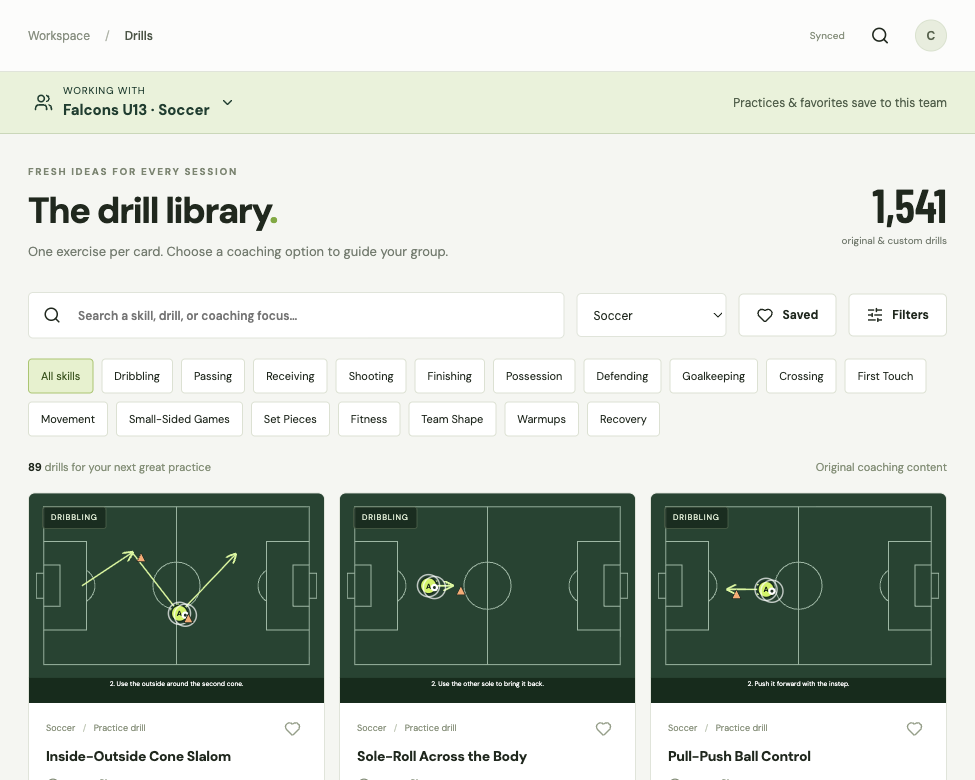
- Open Drills. Choose a sport, search by name, or select a skill.
- Select a drill to watch its animation and read the short instructions.
- In your account, select the heart to keep a drill for this team. Select Saved to find those drills again.
Changing the sport filter does not switch your team. Always check the Working with bar.
03 · BUILD YOUR PRACTICE
Set the session. Review the plan.
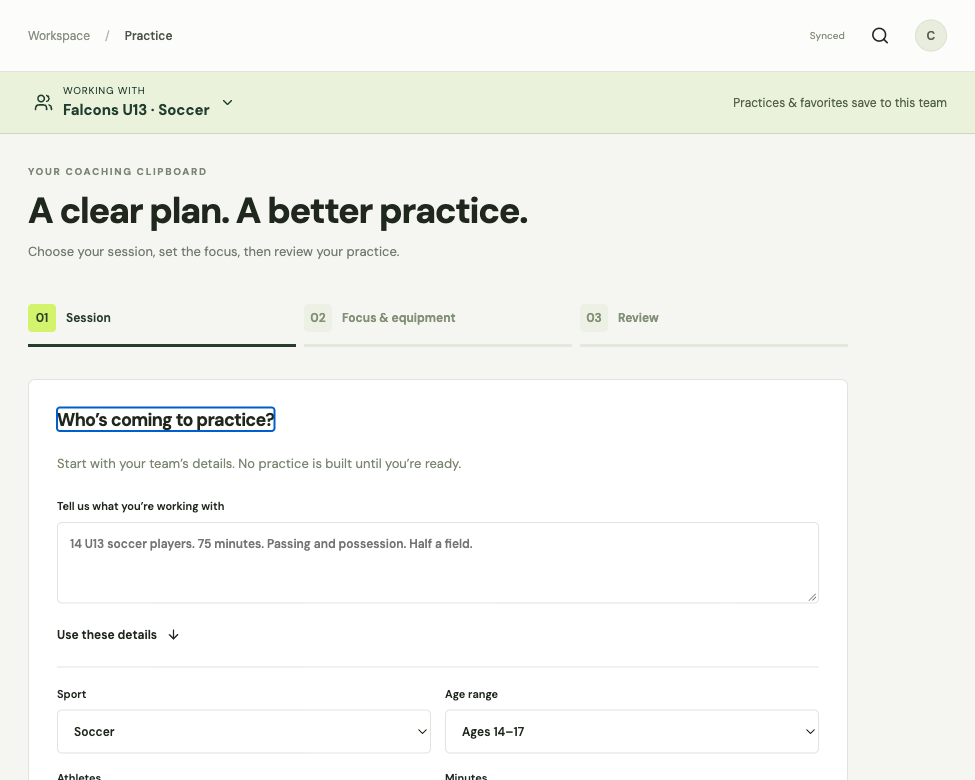
- Open Practice and choose the session details, including age range, skill level, available time, and players.
- Choose your focus and build the practice.
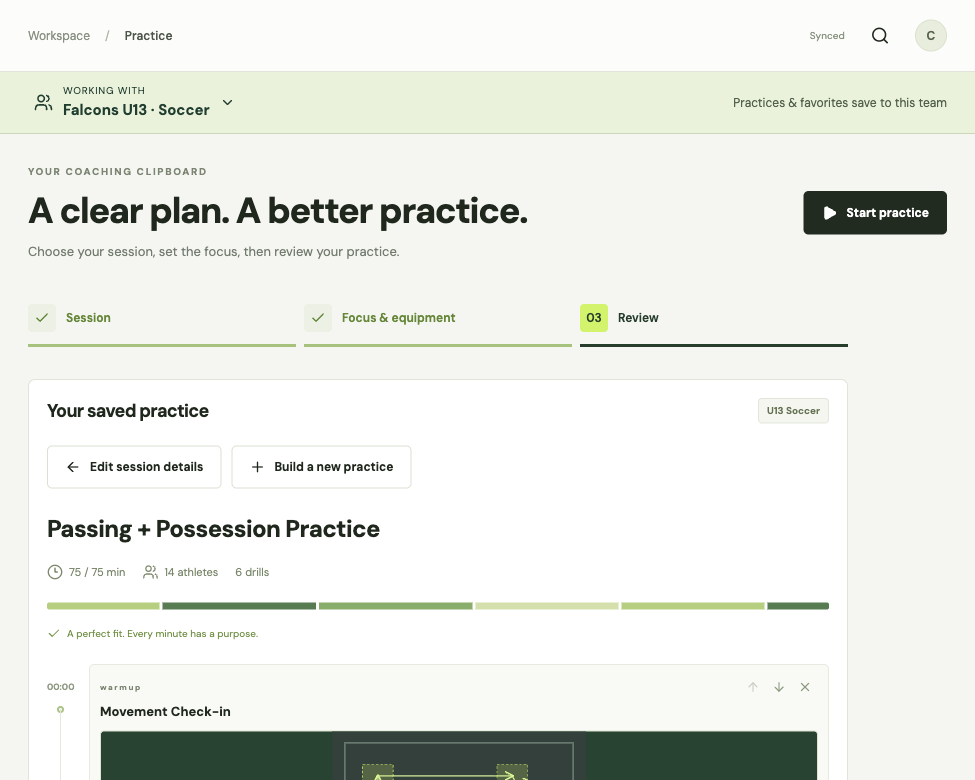
- Review the drills. Adjust their order or time, then select Save practice in your account.
You can also select Add to practice on a drill. Choose the destination practice and confirm with Add & review practice.
04 · COACH FROM YOUR PLAN
Open it. Start coaching.
- Open Plans, select My plans, then open your team’s saved practice.
- Check the team name and drill order. Start the practice to use the live timer and drill steps.
- After practice, add a short reflection in your account to help plan the next session.
On a phone, use the bottom navigation. More opens the remaining sections. Downloads are available only in your account, subject to your plan.
Can’t find something you saved? Check the active team first. If you just switched teams, open the selector and return to the team where you saved it.
Sign in to your account